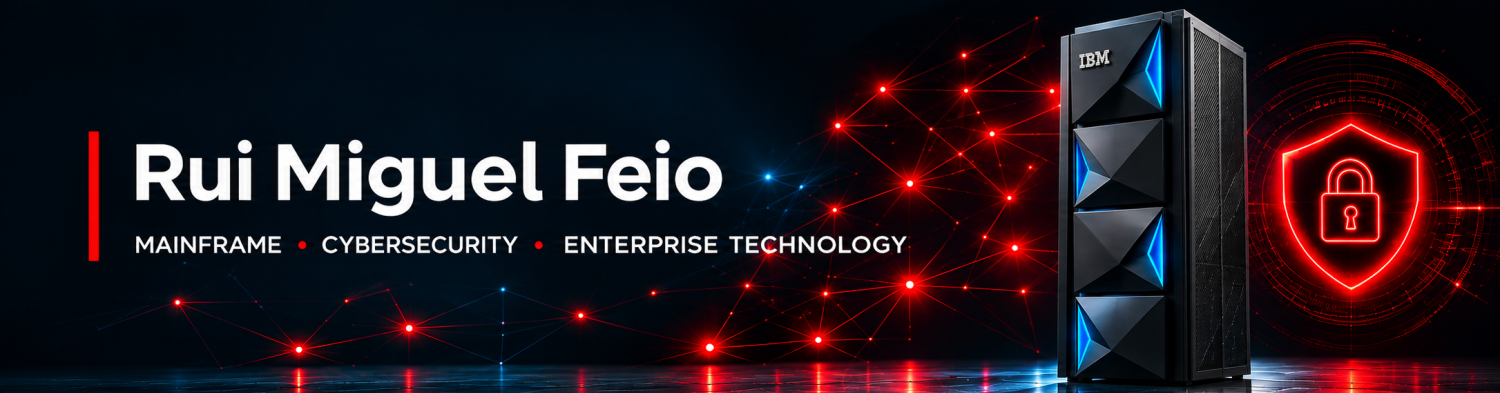
Which Linux distribution should you use for ethical hacking and penetration testing? We compare the leading options, their strengths, limitations, hardware requirements and the skills needed to use them effectively.
There is something slightly amusing about the cybersecurity community’s obsession with Linux distributions.
Ask ten penetration testers which operating system is best, and you may well get eleven different answers. Kali Linux will almost certainly be mentioned, someone will recommend Arch, and before long the conversation will turn into a debate about package managers.
Meanwhile, the actual security assessment is still waiting to be done.
The truth is that choosing the right Linux distribution matters, but perhaps not for the reasons you might expect.
There are several excellent distributions designed for penetration testing, ethical hacking and security research. Some prioritise convenience, others flexibility, performance or specialist tools. Each has its advantages, limitations and intended audience.
Let’s look at the main contenders, what makes them different, and which one deserves a place in your cybersecurity toolkit.
First, What Makes a Penetration-Testing Distribution Different?
Technically, you can perform penetration testing from almost any modern Linux distribution.
Install Nmap, Wireshark, Metasploit, Burp Suite and a few other utilities on Ubuntu or Debian, and you already have the foundations of a capable security-testing environment.
What dedicated penetration-testing distributions offer is convenience.
They typically provide curated security tools, dedicated repositories, preconfigured environments and documentation designed around security assessments.
The differences become more interesting when we look at their Linux foundations.
| Distribution | Based on | Package management | Main characteristic |
|---|---|---|---|
| Kali Linux | Debian | APT | Mature offensive security ecosystem |
| Parrot Security | Debian | APT | Security, privacy and development |
| BlackArch | Arch Linux | Pacman | Extensive specialist tool repository |
| BackBox | Ubuntu | APT | Focused and relatively lightweight |
| Pentoo | Gentoo | Portage | Advanced customisation and research |
Why does this matter?
Because the underlying distribution influences software updates, package availability, system administration, hardware support and the amount of maintenance required.
A rolling-release environment such as Arch or Gentoo can provide frequent software updates, but may require more attention to dependencies and compatibility. Debian- and Ubuntu-based systems offer familiar package management, although Kali and Parrot also maintain their own security-focused repositories and release practices.
Neither approach is inherently more secure. Configuration, patching, tool provenance and operational discipline matter considerably more.
1. Kali Linux: The Obvious Choice, but Is It the Best?
Developed and maintained by OffSec, Kali Linux is probably the most recognised penetration-testing distribution.
It is used for network assessments, web application testing, wireless security, vulnerability research, digital forensics and red-team operations.
Its tool collection includes familiar names such as Nmap, Metasploit, Wireshark, Burp Suite, John the Ripper, Hashcat and Aircrack-ng.
Kali also supports virtual machines, live USB environments, ARM-based devices and supported Android hardware through Kali NetHunter.
What makes Kali attractive?
Its biggest strength is not necessarily the number of tools. It is the ecosystem surrounding them.
Documentation is extensive, community support is readily available, and many penetration-testing courses and laboratories use Kali as their reference platform.
It also offers tool metapackages, allowing users to install collections appropriate to their work rather than everything available.
Where does Kali fall short?
Kali can be intimidating for beginners, particularly those unfamiliar with Linux.
It is also not primarily designed as an everyday desktop operating system. OffSec makes this distinction in its own documentation.
And while Kali simplifies many security-testing tasks, it does not eliminate the need to understand Linux permissions, networking, package management or tool configuration.
Hardware: Official documentation recommends at least 2 GB RAM and 20 GB storage for the default XFCE desktop and tool collection. For a comfortable working environment, particularly with Burp Suite or multiple applications, I would recommend 8–16 GB RAM and an SSD.
Skills required: Basic Linux and networking knowledge to get started. More advanced assessments require substantially greater expertise.
My assessment: Kali is the best general-purpose starting point for most penetration testers. It offers an excellent balance between functionality, documentation and usability.
Official documentation: Kali Linux Documentation
2. Parrot Security: A Serious Alternative to Kali
Parrot Security is another Debian-based distribution, but its approach differs slightly from Kali.
Alongside penetration-testing tools, Parrot places considerable emphasis on privacy, development and general-purpose computing.
Its Security Edition is intended for cybersecurity work, while its Home Edition provides a more conventional desktop experience without the full security toolkit.
What makes Parrot attractive?
Parrot offers a useful combination of offensive security tools and everyday Linux functionality.
It is particularly appealing to security professionals who want to work, develop software, research vulnerabilities and perform assessments from the same operating system.
Its Debian foundation also makes package management familiar to anyone with Ubuntu or Debian experience.
Where does Parrot fall short?
Its community and professional training ecosystem are smaller than Kali’s.
Some training materials assume a Kali environment, which may require minor adjustments when following exercises on Parrot.
And although Parrot includes privacy-related features, these should never be confused with guaranteed anonymity.
Hardware: Requirements depend on the edition. As a practical recommendation, aim for at least 4 GB RAM, preferably 8 GB, and approximately 40 GB storage for the Security Edition.
Skills required: Beginner to advanced, although familiarity with Linux remains beneficial.
My assessment: An excellent alternative to Kali, particularly for people who want a security-focused workstation without maintaining a separate everyday Linux installation.
Official website: Parrot Security
3. BlackArch: Thousands of Tools, but Do You Need Them?
If the number of available tools were the deciding factor, BlackArch would be difficult to ignore.
Based on Arch Linux, BlackArch maintains a repository containing more than 2,800 security tools covering penetration testing, reverse engineering, exploitation, wireless security, forensic analysis and numerous other disciplines.
Its greatest attraction is the breadth of its repository and the ability to integrate it into an existing Arch Linux installation.
What makes BlackArch attractive?
Flexibility.
Experienced Linux users can build a highly customised security environment, installing individual tools or categories according to their requirements.
Its Arch foundation provides access to a rolling-release ecosystem, while BlackArch adds an extensive collection of security software.
Where does BlackArch fall short?
Complexity and maintenance.
Arch Linux assumes that users are comfortable managing their operating system. BlackArch adds another repository and potentially thousands of additional packages to that environment.
More packages also mean more dependencies, updates and opportunities for compatibility problems.
Interestingly, BlackArch’s own documentation discourages installing its full ISO because of potential update and package conflicts. The Slim installation or selective package installation is generally a more sensible approach.
Hardware: Requirements depend heavily on configuration. A lightweight installation can operate on modest hardware, but I recommend at least 8 GB RAM and sufficient SSD storage for the tools and datasets you actually need. Installing the entire repository is rarely justified.
Skills required: Intermediate to advanced, with Arch Linux experience strongly recommended.
My assessment: An excellent specialist toolkit for experienced users, but not automatically a better choice than Kali simply because it contains more tools.
Official website: BlackArch Linux
4. BackBox Linux: Less Bloat, More Focus
BackBox Linux takes a somewhat different approach.
Based on Ubuntu, it aims to provide a relatively lightweight and focused penetration-testing environment without overwhelming users with an enormous collection of utilities.
Its XFCE desktop environment is designed to keep resource consumption manageable.
BackBox Linux 10, released on 19 November 2026, is based on Ubuntu 26.04 LTS and includes updated tools for network analysis, web application testing, exploitation and binary analysis.
Among its additions are ffuf, gobuster, AFL++ and utilities useful for Windows and Active Directory assessments.
What makes BackBox attractive?
Simplicity and performance.
Its Ubuntu foundation is familiar, its tool selection is focused, and its resource requirements make it worth considering for older hardware.
For someone repurposing an ageing laptop as a dedicated penetration-testing machine, BackBox deserves serious consideration.
Where does BackBox fall short?
Its smaller ecosystem means fewer tutorials, community resources and specialised packages compared with Kali.
You may also need to install additional tools manually for particular assessments.
Hardware: BackBox Linux 10 officially specifies a 64-bit processor, 2 GB RAM and 30 GB storage. For comfortable use, I would recommend at least 4 GB RAM and an SSD.
Skills required: Beginner to intermediate.
My assessment: A very good choice for lightweight installations and users who prefer a focused collection of tools.
Official website: BackBox Linux
5. Pentoo: For Those Who Want Complete Control
Pentoo is based on Gentoo Linux and is designed for penetration testing and security assessment.
Gentoo is well known for its flexibility and source-based package management, allowing users considerable control over how software is built and configured.
Pentoo extends that approach with security-focused packages and configurations.
What makes Pentoo attractive?
Customisation.
Pentoo can appeal to researchers who want to control kernel configuration, package features and the wider operating environment.
It is particularly interesting for specialised security research, including wireless and hardware-related testing.
Where does Pentoo fall short?
The learning curve.
Gentoo’s Portage package manager and build configuration require more knowledge than most Debian-based environments.
Depending on the packages involved, compilation and maintenance can also consume considerable time.
If your objective is simply to run a network scan or perform a web application assessment, this level of customisation may offer little practical benefit.
Hardware: Requirements vary considerably. For a comfortable installation and package compilation, I recommend 8 GB RAM, an SSD and a reasonably capable multi-core processor. These are practical recommendations, not official minimum requirements.
Skills required: Advanced Linux knowledge, preferably including Gentoo experience.
My assessment: Interesting for specialists and Linux enthusiasts, but unnecessarily complicated for many everyday penetration-testing tasks.
Official website: Pentoo Linux
6. What About Malware Analysis, Digital Forensics and Incident Response?
Penetration testing is only one part of cybersecurity.
There are other Linux environments designed for different security disciplines, and some deserve a place in any serious cybersecurity laboratory.
| Distribution | Primary purpose | Why consider it? |
|---|---|---|
| REMnux | Malware analysis | Tools for investigating malicious software, scripts and suspicious files |
| SANS SIFT | Digital forensics and incident response | Forensic examination and incident investigation |
| CAINE | Digital forensics | Evidence acquisition and forensic analysis |
| Fedora Security Lab | Security auditing and education | Fedora-based security-testing environment |
| Qubes OS | Isolation and compartmentalisation | Separating sensitive activities into isolated environments |
These are not direct competitors to Kali or BlackArch.
For example, REMnux is far more appropriate for many malware-analysis tasks than a general-purpose offensive security distribution.
Likewise, Qubes OS is primarily concerned with compartmentalisation rather than providing an extensive collection of penetration-testing tools.
Choosing the right environment for the job is more important than trying to make one distribution do everything.
7. Hardware Requirements: What Do You Actually Need?
One of the most common misconceptions is that penetration testing requires an expensive, high-performance computer.
For many activities, it doesn’t.
Network reconnaissance, basic vulnerability assessments and web application testing can run perfectly well on relatively modest hardware.
However, hardware requirements change significantly when you start running several virtual machines, analysing large packet captures or performing GPU-accelerated password recovery.
Here is what I would recommend for a practical cybersecurity workstation.
| Component | Entry-level | Comfortable setup | Advanced laboratory |
|---|---|---|---|
| CPU | 64-bit dual-core | Modern quad-core | 6–8 cores or more |
| RAM | 4 GB | 16 GB | 32–64 GB |
| Storage | 40 GB | 100–250 GB SSD | 500 GB+ SSD |
| GPU | Integrated | Integrated | Dedicated GPU if required |
| Virtualisation | Optional | Recommended | Essential for many laboratory scenarios |
These are planning recommendations, not distribution-specific minimum requirements.
Wireless testing deserves special attention
If you intend to perform Wi-Fi penetration testing, selecting the right wireless adapter is often more important than choosing the Linux distribution.
You need to consider:
- Chipset compatibility with Linux.
- Monitor-mode support.
- Packet-injection support where required.
- Driver and kernel compatibility.
- USB passthrough if using a virtual machine.
Not every wireless adapter supports monitor mode or packet injection, and compatibility can vary between chipset revisions.
Installing Kali does not magically turn an unsupported Wi-Fi adapter into a capable wireless-testing device.
The Aircrack-ng documentation is a useful starting point for understanding the tools and wireless hardware requirements.
What about older laptops?
An older laptop with 4–8 GB RAM and an SSD can still make a useful penetration-testing machine.
Kali with XFCE and BackBox are both sensible candidates.
For memory-intensive work, however, adding RAM or using a separate virtualisation host may be more beneficial than changing distributions.
8. Virtual Machine, Live USB or Dedicated Laptop?
This is another decision that deserves more attention than it usually receives.
Virtual machines are excellent for learning, experimenting and maintaining multiple testing environments.
You can create snapshots, isolate laboratories and recover quickly from configuration mistakes. They are particularly convenient for web application testing, network analysis and security training.
Live USB installations are useful when portability matters. They allow you to boot a security environment without permanently installing it, although persistence must be configured if you want changes to survive reboots.
Dedicated installations make sense when you regularly need direct hardware access, particularly for wireless testing and certain USB-based security assessments.
There is no universal winner.
For most people learning penetration testing, I would start with a virtual machine. For someone building a dedicated wireless-testing laptop, a direct installation is often more convenient.
Whichever approach you choose, consider disk encryption, regular updates, backups and separation from your everyday working environment.
A penetration-testing workstation can contain sensitive credentials, assessment results and client information. It should be protected accordingly.
9. Which Distribution Should You Choose?
Rather than declaring one distribution the winner, I would approach the decision based on experience and intended use.
| Your situation | My recommendation | Why |
|---|---|---|
| New to penetration testing | Kali Linux | Documentation, training and community |
| Want security tools and everyday Linux | Parrot Security | Balanced workstation environment |
| Experienced Arch Linux user | BlackArch | Specialist tools and flexibility |
| Repurposing an older laptop | BackBox or Kali XFCE | Relatively modest resource requirements |
| Interested in wireless security | Kali or Pentoo | Suitable tooling, subject to hardware compatibility |
| Malware analysis | REMnux | Specialist analysis environment |
| Digital forensics and incident response | SIFT or CAINE | Investigation-focused toolsets |
| Advanced Linux customisation | Pentoo | Gentoo-based flexibility |
For most cybersecurity professionals, Kali Linux remains the safest general recommendation.
Not because it is inherently more powerful than the alternatives, but because its ecosystem makes it easier to spend time on security work rather than maintaining the operating system.
10. The Tools Matter, but Your Skills Matter More
There is one final point worth discussing.
It is easy to become distracted by the sheer number of tools available.
BlackArch offers thousands. Kali provides an extensive collection. Parrot, Pentoo and BackBox have their own selections.
But how many do you actually need?
A professional penetration tester who understands Nmap, Wireshark, Burp Suite, Metasploit and a handful of other utilities can accomplish considerably more than someone who has installed 3,000 tools without understanding what they do.
And the tools themselves are only part of the equation.
A good penetration tester needs a solid understanding of networking, operating systems, authentication, web technologies, scripting, vulnerability analysis and security architecture.
Equally important are the ability to interpret results, distinguish genuine vulnerabilities from false positives, explain business impact and recommend practical remediation.
There is also the matter of authorisation.
Penetration testing must take place within an agreed scope and with appropriate permission. Having the tools installed does not give anyone permission to use them against systems they do not own or have authorisation to assess.
For those developing their skills, platforms such as Hack The Box, TryHackMe and PortSwigger Web Security Academy provide practical learning opportunities.
Final Thoughts
There are many excellent Linux distributions for penetration testing, and each has something to offer.
Kali Linux remains my preferred general-purpose choice. It is mature, well documented, widely supported and capable of handling most offensive security tasks.
Parrot Security is an excellent alternative for those who want a more versatile security workstation. BlackArch provides access to an enormous collection of specialised tools, while Pentoo offers the flexibility that experienced Gentoo users appreciate.
BackBox is particularly interesting for anyone looking for a relatively lightweight and focused environment, especially on older hardware.
And we should not overlook specialist distributions such as REMnux, SIFT and CAINE, which address important areas beyond traditional penetration testing.
There are other distributions and approaches worth exploring, and the landscape will continue to evolve.
But I would leave you with one thought: the best penetration-testing distribution is not the one with the most tools. It is the one that allows you to use the right tools effectively, reliably and with the least unnecessary complexity.
You can install every security utility available and still struggle to identify a basic misconfiguration.
Conversely, someone who understands the underlying technology can achieve remarkable results with a terminal, a few well-chosen tools and a methodical approach.
Ultimately, Linux provides the environment. The tools provide the capabilities.
The expertise is yours to develop.
Be the first to comment